
- Project
- LetAIBrowse / WebMCP
- Relationship
- Built and owned by BigBerri
- Scope
- Storefront integration and product tooling
The challenge: make a shopping journey understandable
An online store has more to explain than where its buttons are. A shopper needs to identify the right product, choose a variation, understand availability, inspect the basket and review the order. An assistant navigating that same journey needs enough context to avoid confusing a search result with a selected item or a filled form with a completed purchase.
For a UK retailer commissioning an integration, the useful question is which customer task it should support. Starting with “make the whole store work with agents” leaves too much undefined. A better brief names the product types, storefront, basket behaviour and confirmation steps that matter to the business. That becomes the basis for implementation and acceptance checks.
LetAIBrowse is BigBerri’s own product exploring this problem. It brings storefront actions, installation information, a detection tool and compatibility documentation into one public product journey. This case study describes that work as an owned product, with examples a prospective integration buyer can examine for themselves.
What we built and what you can inspect
The product presents structured shopping actions covering product browsing, basket interaction and checkout assistance. Its public materials describe WordPress and WooCommerce integration and JavaScript options for custom storefronts. The relevant implementation route depends on the store, the browser and the assistant being used; a platform logo alone does not establish that a particular shop is supported.
The accompanying website gives visitors places to investigate the product: a scanner, plugin download information and a compatibility matrix. These serve different purposes. The download page describes releases and requirements. The compatibility page records checks against named themes. The scanner looks for implementation signals in a supplied site. Together they help a business move from an interesting demonstration to specific questions about its own storefront.
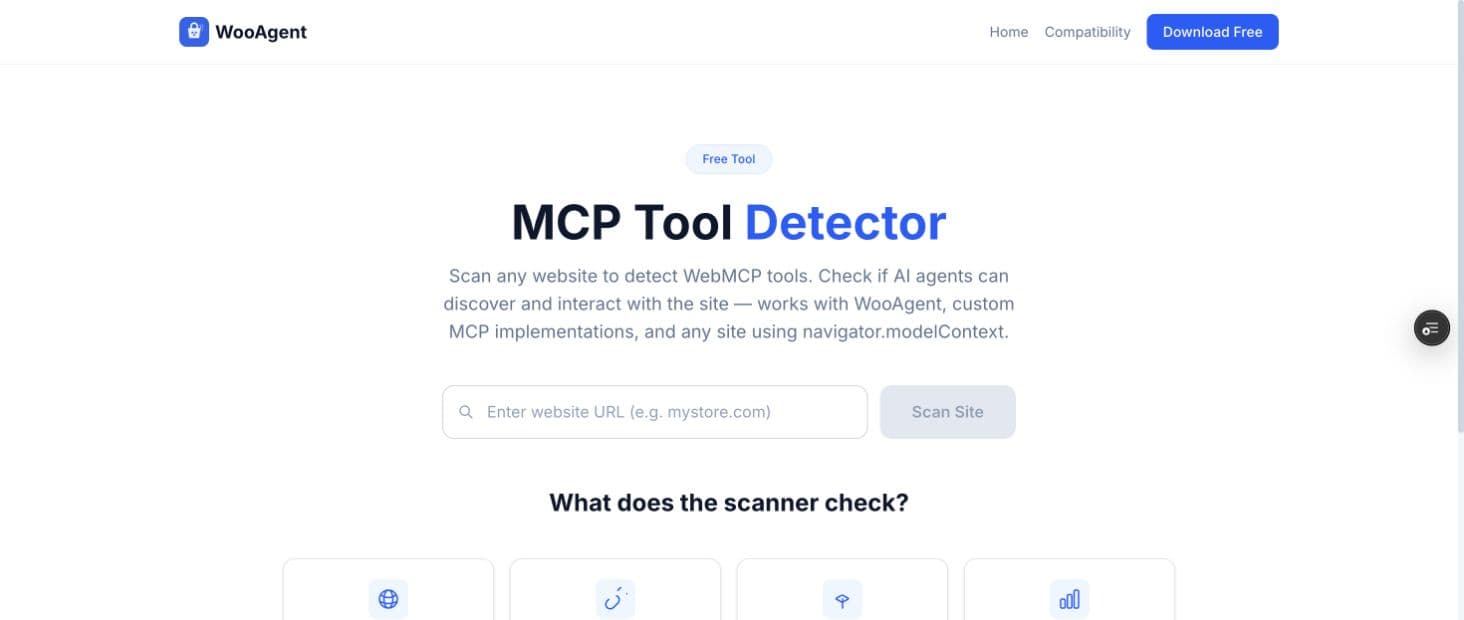
The public scanner interface below is a real screenshot, captured on 7 October 2026 with its URL field empty. No customer store, account information or test result is shown. Some screens retain the earlier WooAgent name; LetAIBrowse is the product’s current public brand.
The integration approach: define actions before adding intelligence
WebMCP offers a way for a page to describe callable actions with structured inputs. Chrome’s current documentation describes it as a proposed standard, available through an origin trial and local development settings. The WebMCP project distinguishes this browser interaction from a backend MCP connection. The two approaches address different contexts; their names should not be treated as interchangeable.
That distinction matters when specifying a store integration. A browser tool participates in the visible shopping session. A backend connection may interact with a separate service. Before selecting either, establish where the customer’s current basket, login and permissions live, which actions the existing platform exposes, and how a completed action becomes visible to the user.
For buyers, an action catalogue is a useful planning document: describe what an action accepts, what it changes and what confirms success. “Find products” and “change basket quantity” have different consequences. An order submission has greater consequences again. This is a practical scoping principle, rather than a reason to publish internal tool schemas or private implementation details.
Compatibility is a journey, not a badge
Store themes, product variations and checkout extensions can change the behaviour an integration encounters. LetAIBrowse’s public compatibility matrix makes named configurations available for inspection. That is more useful than assuming a shared platform means identical behaviour. A store with different extensions or a customised checkout still needs its own assessment.
The scanner is an initial diagnostic, not an end-to-end shopping test. Detecting tool-related code does not prove that a live browser can register the tools, that an assistant will select them, or that a checkout succeeds. Conversely, an initial scan can miss behaviour loaded later in the session. Treat its output as a starting point for investigation.
A meaningful acceptance plan checks the intended customer journey in a supported environment. It should include an unavailable item, a changed quantity, a required field, a failed action and a user who stops before ordering. Confirmation must match the platform’s actual state. These are checks to agree for a store deployment; this case study does not claim that every possible configuration has passed them.
Keep the customer and the store in control
Agent access should preserve the store’s existing access rules. A tool description is not a replacement for validation or permission checks. Sensitive actions, including committing an order, need a clear authorisation and confirmation design. Chrome’s WebMCP security guidance is a useful reference when reviewing those boundaries.
For a UK ecommerce business, define the information needed for each action and where it goes before connecting third-party services. Product discovery and checkout handle different kinds of information. Agree the data handling, provider access, error reporting and support responsibilities as part of the project scope, alongside the customer-facing experience.
Ordinary browsing should also remain usable. Emerging browser support is a reason to add capabilities progressively and test fallback behaviour. It is not a reason to replace a working checkout with a route that requires every shopper to use the same assistant or experimental browser configuration.
The outcome: a public product and a concrete project brief
The delivered public evidence is a product website, storefront integration materials, a plugin release page, a scanner and a theme compatibility matrix. Visitors can inspect those artefacts rather than relying solely on a capability statement. They demonstrate a product and its supporting information; they do not establish a customer’s revenue uplift or adoption rate.
The main lesson for an integration buyer is to commission a defined journey with evidence attached. Bring your platform, product types, theme, checkout extensions and desired customer task to the first discussion. Agree the supported environment, the confirmation boundaries, the acceptance checks and who maintains the integration when the store changes.
A sensible next scope might be product discovery and basket review before any order placement. Another store might need a bespoke connection to an existing application. The right choice follows from the business workflow and available interfaces, with a written scope and fixed quote after assessment.
What each piece of evidence tells you
| Public evidence | What you can inspect | What still needs validation |
|---|---|---|
| Product and release pages | Available integration routes and documented requirements | Suitability for your installed versions and intended assistant |
| Scanner | Implementation signals detected for a supplied URL | Live registration, execution and permission boundaries |
| Compatibility matrix | Named configurations and reported checks | Your theme, extensions, products and checkout journey |
| Working interface | How a visitor investigates the product | Customer adoption and commercial impact in a real deployment |
Explore the evidence and plan your project
The links below are the public product and platform references reviewed for this case study. They describe the current work and standards context; neither is a promise of results for a different store.
- LetAIBrowse scanner, compatibility matrix and plugin releases.
- Chrome for Developers: WebMCP and tool security guidance.
- WebMCP project and explainer.
For a similar project, explore our agentic web integration and integration services, or the ecommerce sector guide. The guides on what shapes integration scope and commissioning bespoke software cover the ownership and delivery questions to bring to a call.
Questions before a similar build
Was LetAIBrowse built for an external client?
No. LetAIBrowse is an owned BigBerri product. This case study presents our product work and public artefacts, rather than a client testimonial or a claim about a customer’s results.
Will this work with every assistant and browser?
Support depends on the browser, assistant, product version and store configuration. WebMCP is an evolving proposed standard. A deployment should name its supported environment and verify the intended journey there.
Does a successful scanner result prove checkout works?
No. Detection and live execution are separate checks. Validate registration, permissions, basket state, error handling and the required confirmation steps in the actual supported browser.
Can BigBerri assess our existing store?
Yes. Bring your platform, theme, extensions and intended customer workflow to a free discovery call. Implementation is scoped and quoted after assessment; paid platform access and maintenance responsibilities are agreed explicitly.